

Filing a bug report
For anyone clicking the Repro widget — testers, designers, support, anyone. No coding needed.
File a report in 3 steps
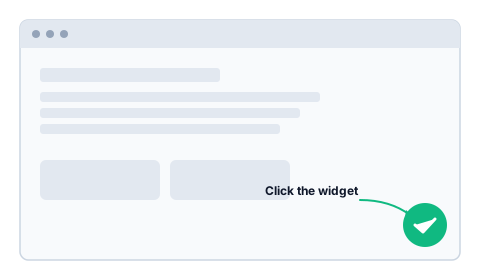
1. Click the widget
Look for the round button in the bottom-right corner of the page.
If Chrome asks "Share this tab?", pick the current tab and click Share.
TIP
Open the menu, scroll to the bug, hover the broken thing — then click the widget. Whatever's on screen is what gets captured.
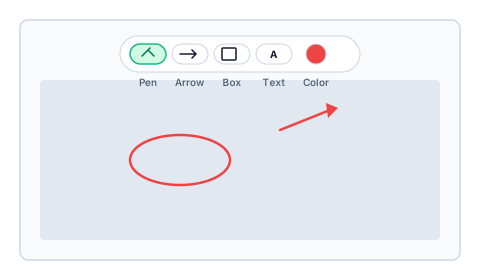
2. Mark up the screenshot
A toolbar appears. Circle the problem, point an arrow at it, or scribble a note. Don't worry about being neat — a messy circle is fine.
3. Describe and send
Three lines is enough:
- What you tried to do — "I clicked Save."
- What happened — "Page reloaded, name didn't change."
- What you expected — "Name should update in the header."
Click Send. Done.
The developer gets your screenshot, a 30-second replay of what you were doing, plus browser logs and your environment — they can reproduce it without asking you.
Privacy
Your password and any field marked private (credit cards, SSNs, etc.) are automatically masked. They never leave your browser.
If you typed something sensitive, don't click Send — the replay covers the last 30 seconds before you opened the widget.
No widget on the page? Use the Chrome extension
If you're testing a site that doesn't have Repro built in, install the Repro Tester Chrome extension.
After installing, pin it (puzzle-piece icon → pin Repro Tester), then add the site:
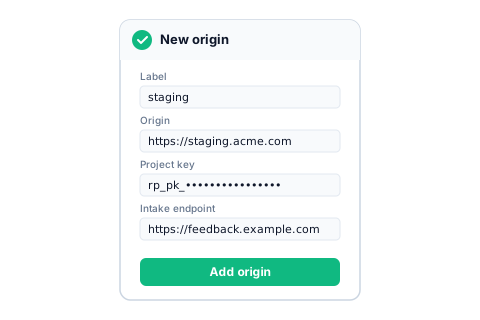
Ask your team admin for the four values:
| Field | Looks like |
|---|---|
| Label | staging |
| Origin | https://staging.acme.com |
| Project key | rp_pk_… |
| Intake endpoint | https://feedback.yourcompany.com |
Click Add origin, accept Chrome's permission prompt, then reload the page. The widget appears.
Common problems
Widget doesn't appear (extension users) — open the extension popup. If your site shows "Permission required", click Grant.
"Origin not allowed" when sending — your dashboard admin needs to add the site URL to the project's allowed-origins list.
Screen-share prompt hangs (macOS) — System Settings → Privacy & Security → Screen Recording → turn on Chrome → restart Chrome.
More
- GitHub issues — bugs in Repro itself
- Technical extension docs — for developers / admins